
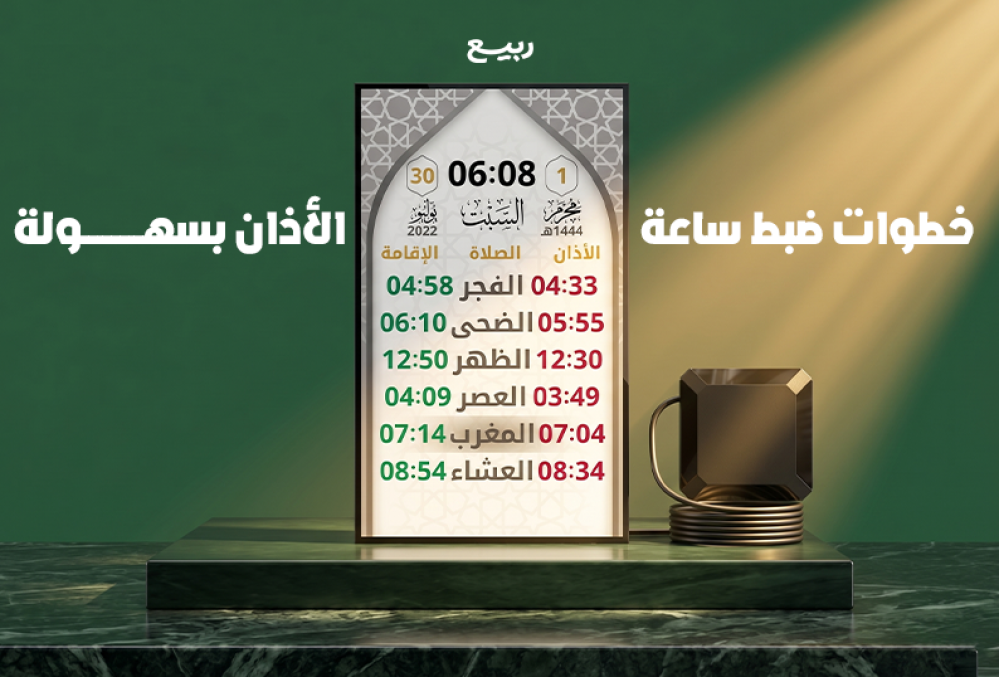
When purchasing a new clock for your mosque or home, the first step to ensuring its full benefit is setting it correctly. Rabee Store offers a variety of specialized products to suit different needs, whether you're looking for a practical clock for your home or a sophisticated one for your mosque. With the wide range of models and specifications available, it's essential to know the correct way to set the clock to ensure accurate prayer times and the call to prayer (Adhan) plays at its designated times.
Many users are interested in learning how to easily and quickly set prayer times, especially since modern watches now rely on simplified systems that allow for adjusting the time, date, and prayer times in just a few minutes. Understanding the watch's settings correctly also helps avoid common errors that can affect the accuracy of the timekeeping or the watch's overall performance.
Although prayer time clock designs vary from company to company, the basic setup steps remain largely the same. Therefore, familiarizing yourself with the main steps before starting saves time and provides a more comfortable and professional user experience.
Steps to adjust clock settings
Setting up a prayer time clock begins by entering the basic data upon which the clock relies to calculate and display daily prayer times. The more accurate this data is, the more directly it impacts performance and the accuracy of the timings.
Turn on the clock and make sure it's ready.
Before you start modifying any settings, make sure that the watch is working properly and that all its basic functions are ready for use.
This includes:
- Make sure the power supply is connected.
- Check the screen and make sure the data is clear.
- Experience the control buttons.
- Make sure you have a spare battery if available.
This step helps to avoid any problems occurring during the adjustment process.
Set current time
This step is one of the most important stages of setting up a prayer time clock, as all subsequent settings depend on the base time recorded inside the clock.
The following should be considered during adjustment:
- Enter the hour and minutes correctly.
- Choose a 12-hour or 24-hour system as desired.
- Make sure the timing matches your local area.
After completion, it is advisable to check the time again to make sure there are no errors.
Choosing the right city
Most modern prayer times rely on a database containing a large number of cities.
Therefore, it is necessary to:
- Choosing the right city.
- Check the time zone.
- Review the site's settings.
This step is considered one of the most influential factors on the accuracy of the prayer times displayed.
Setting the Hijri and Gregorian dates
Many watches offer the ability to display both dates together, which gives the user important additional information on a daily basis.
When performing this step, you must ensure that:
- today.
- The month.
- Year.
- The Hijri date is compatible with the local calendar.
This helps in following Islamic events and religious seasons more easily.
Enter prayer times
In some models, prayer times are calculated automatically, while other models allow for manual adjustment.
During this stage, it is necessary to ensure that:
- The time for Fajr prayer.
- The time for the noon prayer.
- The time for the afternoon prayer.
- Maghrib prayer time.
- The time for the Isha prayer.
It is also advisable to compare the displayed times with the official times in the city to ensure the highest level of accuracy.
Adjusting the Adhan settings
This stage is considered one of the most important parts of the clock's settings, because it is responsible for alerting you to prayer times.
These typically include:
- Choosing the sound of the call to prayer.
- Adjust the volume level.
- Activate or deactivate notifications.
- Set the alert duration.
Adjusting these settings helps to provide a user experience appropriate to the nature of the place, whether it is a home or a mosque.
Setting the accommodation time
During the hours designated for mosques, the time for each prayer can be set separately.
This feature offers many benefits, such as:
- Organizing the attendance of worshippers.
- Knowing the remaining time before the prayer is performed.
- Improving group time management.
For this reason, this feature has become a key characteristic in many modern mosque clocks.
Save and review settings
After completing all the previous steps, the data must be saved and made sure that it has been recorded correctly.
It is recommended to review:
- the time.
- the date.
- The city.
- Prayer times.
- Adhan settings.
This simple review helps to detect any errors before actual use begins.
Tips to help you set your watch accurately
Some practical tips can be used to make the process of setting a prayer time clock easier.
Among the most important of these tips:
- Read the user manual before starting.
- Make sure you choose the right city.
- Review the official prayer times.
- Save settings after each modification.
- Testing the call to prayer after the adjustment is complete.
Also, carrying out the steps calmly helps to avoid mistakes resulting from rushing.
If you would like to learn about the different types of prayer time clocks and the specifications that will help you choose the right clock before you start setting it up, you can check out the article " Best Prayer Time Clock for Homes and Mosques," which reviews the most suitable options for homes and mosques and the most important features that should be focused on before buying.
Common problems
Although setting prayer time clocks has become easier thanks to modern technological developments, some users may encounter a number of problems during or after the setup.
Inaccurate prayer times appear
This problem is one of the most widespread problems among users.
And it is often caused by:
- Choosing the wrong city.
- Time zone error.
- The time was adjusted inaccurately.
- The settings were not saved correctly.
In most cases, the problem can be easily solved by reviewing and resetting the site data.
The call to prayer was not played.
Some users may notice that the prayer time clock does not emit any alert when prayer time arrives.
Some common reasons for this include:
- Lower the volume.
- Disabling the call to prayer feature.
- There is an error in the settings.
- A problem with the speaker.
Therefore, it is advisable to check the sound settings first before looking for other causes.
Settings lost after power outage
This problem occurs in some watches that do not have a backup battery or if the internal battery has expired.
To mitigate this problem, it is recommended to:
- Check the battery periodically.
- Replace the battery when needed.
- Make sure the settings are saved correctly.
Difference in the Hijri calendar
The Hijri date may sometimes appear one day different from the local calendar.
This is often due to:
- Different methods of calculation.
- Outdated settings.
- Entering incorrect data.
This problem can be easily remedied by adjusting the date settings.
Difficulty in dealing with menus
In some models, the user may have difficulty accessing some functions or settings.
To overcome this, it is recommended to:
- Review the user manual.
- Learn about the functions of the different buttons.
- Implement the settings step by step.
With repeated use, the adjustment process becomes easier and more flexible.
poor screen clarity
A blurry screen may affect the ability to comfortably follow the time and prayer times.
Some possible reasons include:
- Reduced brightness level.
- Inappropriate mounting angle.
- Dust has accumulated on the screen.
- There is a technical problem with the display unit.
In many cases, the problem can be solved by adjusting the brightness or changing the location where the clock is mounted.
Common mistakes during adjustment
There are a number of mistakes that some users make when setting up the clock for the first time.
Among the most prominent are:
- Do not check the time after setting it.
- Ignore choosing the right city.
- Forgetting to save changes.
- Relying on outdated data.
- Cancel notifications without noticing.
Avoiding these errors helps to maintain the accuracy of the watch and the stability of its performance for a long time.
Conclusion
Setting a prayer time clock doesn't require advanced technical expertise; it can be easily done by following the correct steps and ensuring the basic data is entered accurately. The more attention is paid to setting the time, city, prayer times, and Adhan settings correctly, the more efficiently the clock will perform its function.
Knowing common problems and how to deal with them also helps to maintain the accuracy of the clock and take advantage of all its features, whether it is intended for home use or for mosques, thus ensuring that prayer times are followed easily and conveniently at all times.
Ultimately, choosing the right clock from a reliable source remains a key step to getting the best user experience, and that is what Rabee Store offers in terms of prayer time clocks and prayer timers designed to suit the needs of homes and mosques with high quality and accurate specifications that help you adhere to prayer times with ease.